


.png)


.png)



AI-Powered Key Takeaways


Table of Contents

Introduction
Appium 3 is the latest major release of the Appium automation framework. While it does not introduce a completely new architecture, it modernizes the platform through dependency upgrades, stricter compliance with standards, stronger security controls, and the removal of deprecated functionality. These changes help simplify maintenance and prepare the Appium ecosystem for future driver and platform updates.
For mobile QA teams, Appium 3 brings several changes that may require framework updates, including new Node.js requirements, stricter capability handling, removed legacy endpoints, and enhanced security settings. Understanding these changes is important for planning a smooth migration from Appium 2 and avoiding disruptions in existing automation pipelines.
Let's take a closer look at what Appium 3 brings to mobile testing teams.
Why Appium 3 Was Introduced
1. Reducing Technical Debt and Legacy Dependencies
Appium 3 was introduced to modernize the Appium ecosystem and simplify long-term maintenance. Over time, support for deprecated APIs, older protocol implementations, and outdated runtime environments increased maintenance complexity and slowed future development. Appium 3 removes many of these legacy components, allowing the project to evolve more efficiently.
2. Strengthening Alignment with W3C Standards
Another major goal of the release was stronger alignment with the W3C WebDriver standard. As automation tools increasingly adopt W3C specifications, maintaining support for older protocols becomes less practical. Appium 3 continues this transition by removing legacy behaviors and promoting more consistent automation across drivers, platforms, and testing environments.
3. Improving Security for Modern Test Environments
Security was another key focus area. Appium 3 introduces stricter controls around feature flags and session discovery, helping organizations better secure shared testing environments, internal device clouds, and large-scale automation infrastructure.
4. Creating a Foundation for Future Development
Rather than introducing a completely new architecture, Appium 3 focuses on creating a cleaner and more maintainable foundation for future growth. The release enables the Appium team to support new platform capabilities, driver enhancements, and ecosystem improvements without carrying the overhead of legacy functionality.
Also read - Appium Testing: The Complete Guide to Mobile Automation
Key Changes Introduced in Appium 3
Appium 3 introduces several changes aimed at improving maintainability, security, and standards compliance. While the overall architecture remains familiar to Appium 2 users, teams upgrading to the new version should review their automation infrastructure, framework configurations, and test implementations to ensure compatibility.
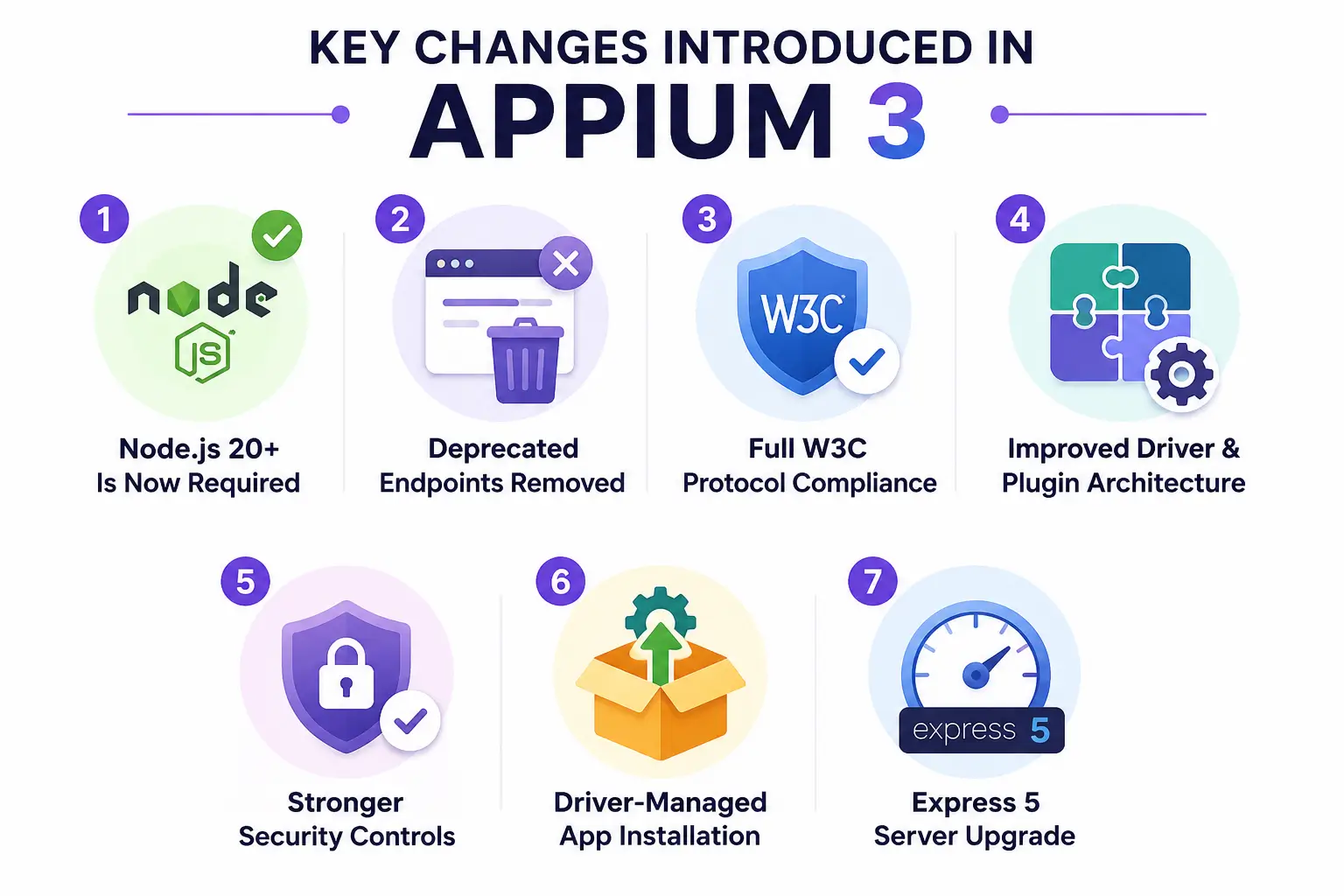
1. Node.js 20+ Becomes Mandatory
Appium 3 now requires npm 10 or later and a Node.js version within the supported range, which are ^20.19.0 || ^22.12.0 || >=24.0.0. Earlier Node.js versions supported by Appium 2 are no longer compatible.
This update allows the Appium project to adopt newer dependencies, improve security, and reduce the maintenance burden associated with supporting legacy runtime environments. For QA teams, this means reviewing local development environments, CI/CD pipelines, Docker images, and Appium servers before upgrading.
Although the requirement introduces an additional migration step, most modern automation environments already support Node.js 20+, making the transition relatively straightforward.
2. Deprecated Endpoints Have Been Removed
Appium 3 removes several deprecated endpoints and legacy behaviors that had been retained primarily for backward compatibility. The Appium team has gradually phased out these endpoints over multiple releases, and Appium 3 completes that cleanup effort.
Teams using older frameworks or custom integrations should review the migration guide to identify any deprecated commands still in use. While many modern test suites will be unaffected, environments that have not been updated recently may require code changes before migration.
Removing outdated endpoints helps reduce technical debt and allows future Appium releases to focus on newer capabilities rather than maintaining legacy implementations.
3. Complete Removal of Legacy JSONWire Protocol (JSONWP) Fallbacks
While Appium 2 made vendor prefixes (like appium:deviceName) mandatory, Appium 3 takes compliance a step further by completely deleting legacy JSON Wire Protocol fallbacks inside W3C endpoints.
If your framework still passes older, non-compliant payloads, the Appium 3 server will throw a hard validation error. The key breaking changes to watch out for include:
- Session Creation (
POST /session): The legacydesiredCapabilitiesandrequiredCapabilitiesobjects are fully removed. Only the standard W3Ccapabilitiesobject is accepted. - Timeouts (
POST /session/:sessionId/timeouts): Legacy parameters type and ms have been completely eliminated. Test frameworks must now strictly use W3C standard keys:script,pageLoad, andimplicit. - Element Interactivity (
POST /session/:sessionId/element/:elementId/value): The payload schema for this endpoint has been modified. It no longer accepts the legacyvaluearray parameter. To interact with elements, test frameworks must now strictly pass atextstring parameter instead to comply with modern W3C standards.
4. Improved Driver and Plugin Ecosystem
Appium's modular architecture remains one of its defining features. Appium 3 continues building on this model by improving how drivers and plugins integrate with the core server.
The separation between the Appium server, drivers, and plugins allows individual components to evolve independently. This makes it easier to introduce new functionality, update drivers, and support emerging platform capabilities without requiring frequent changes to the core framework.
For mobile QA teams, this modular approach provides greater flexibility when maintaining automation environments across Android, iOS, and other supported platforms.
5. Enhanced Security Controls and Breaking Changes
Appium 3 introduces strict security updates around feature flags and session discovery. First, feature flag scoping is now mandatory for the --allow-insecure command. Passing generic flags like --allow-insecure adb_shell will cause a server startup crash; you must use either an explicit driver scope (e.g., --allow-insecure uiautomator2:adb_shell) or a wildcard prefix to apply the flag across all supporting drivers (e.g., --allow-insecure=*:adb_shell) .
However, the global --relaxed-security flag remains completely unaffected and operates as it did in Appium 2.
Second, the legacy GET /sessions endpoint has been removed and replaced by GET /appium/sessions. Accessing active session states now strictly requires explicitly enabling the session discovery feature at server boot (e.g., --allow-insecure=*:session_discovery)". Without this adjustment, tools like Appium Inspector will fail to connect to running sessions out of the box.
6. Core Unzip Utility Pushed to Independent Drivers
To make the server core completely lightweight, Appium 3 strips out the archive extraction and unzip logic historically used to unpack .apk and .app bundles during session initialization. This platform-specific capability is now handled entirely on the driver layer. Because of this architectural shift, QA teams must update their underlying drivers (e.g., UiAutomator2, XCUITest) concurrently with the server upgrade, or application installation routines will break.
7. Under-the-Hood Routing: Express 5 Upgrade
The internal server engine has transitioned from Express v4 to Express v5. While standard QA engineers writing basic automated tests will see no difference, any DevOps or infrastructure engineering teams that programmatically embed, wrap, or extend Appium within custom Node.js middleware must audit their systems against Express 5 migration requirements.
Also read - Installing Appium 2.0 and the Driver and Plugins CLI
How Appium 3 Changes Mobile Test Framework Development
While many Appium 3 changes focus on infrastructure and platform modernization, the release also affects how mobile automation frameworks are designed and maintained. Tea
ms upgrading from Appium 2 should review gesture implementations, driver management workflows, plugin configurations, and capability definitions to avoid compatibility issues.
Migration Away from Legacy Touch Actions
One of the most important framework-level changes is the continued removal of legacy TouchAction-based interactions. Appium has been moving toward the W3C Actions API for several releases, and Appium 3 further reinforces that transition by removing support for older touch-action endpoints and encouraging standardized gesture implementations.
For QA teams, this means gesture-heavy test suites may require updates if they still rely on older TouchAction or MultiTouchAction implementations. Common actions such as swipes, long presses, drag-and-drop interactions, and multi-finger gestures should now be handled through W3C-compliant action sequences. This creates more consistent behavior across Android and iOS drivers while aligning Appium with broader WebDriver standards.
Driver Management Becomes More Important
Appium's modular architecture continues to separate the core server from platform-specific drivers. Drivers such as UiAutomator2 and XCUITest are installed and managed independently, allowing them to evolve without requiring changes to the Appium server itself.
As a result, QA teams need to treat driver management as a regular part of framework maintenance. Driver versions, compatibility requirements, and dependency health checks should be reviewed during upgrades to avoid execution issues across Android and iOS environments. Appium's driver management commands and diagnostic tools make it easier to validate driver configurations before running tests.
Plugins Play a Larger Role in Framework Extensibility
Plugins have become increasingly important in the Appium ecosystem. Rather than adding every capability directly into the core framework, Appium allows functionality to be extended through plugins that operate independently of the server lifecycle.
This approach gives teams more flexibility when building custom automation environments. Features such as device management, authentication, reporting, and Inspector integration can be added without increasing the complexity of the core server. It also allows organizations to adopt only the functionality they need rather than maintaining large monolithic configurations.
Strict Server Startup and Command Argument Validation
In Appium 3, framework configuration validation hardens on the server side rather than the client session side. Permissive or malformed arguments passed during server initialization that previously threw soft warnings in Appium 2 will now cause a hard crash on startup.
Automation teams must explicitly audit their server config files (or CI/CD initialization parameters) to ensure all experimental configurations, plugins, and feature flags match the exact modern schemas enforced by Appium 3.
What Mobile QA Teams Need to Review Before Migrating to Appium 3
Although Appium 3 does not introduce a complete architectural shift, teams should not treat the upgrade as a simple version change. Several updates around runtime requirements, capabilities, security controls, and deprecated functionality can affect existing automation environments. Reviewing key areas before migration can help reduce framework instability and avoid execution failures.
1. Review Existing Test Scripts
The first step is evaluating current test suites for deprecated commands and older implementations that may no longer be supported in Appium 3.
Teams should pay particular attention to gesture automation, capability definitions, and custom framework utilities built around older Appium APIs. Test suites that still rely on legacy TouchAction implementations or outdated endpoint behavior may require code updates before migration.
Running framework audits before upgrading helps identify compatibility issues early and reduces troubleshooting effort later in the migration process.
2. Validate CI/CD and Build Environments
Appium 3 requires Node.js 20.19+ and npm 10+, making infrastructure validation an important part of migration planning.
QA teams should review:
- CI/CD pipelines
- Docker images
- Build agents
- Shared Appium servers
- Internal testing environments
Even if local development environments are updated successfully, outdated runtime versions in automated pipelines can still cause test execution failures.
Infrastructure validation should be completed before framework migration begins to avoid deployment delays.
3. Check Driver Compatibility
Since Appium uses a modular driver architecture, driver compatibility should be reviewed separately from the Appium server upgrade.
Teams should verify:
- Installed driver versions
- Driver dependencies
- Platform compatibility requirements
- Android and iOS driver support status
Drivers such as UiAutomator2 and XCUITest continue evolving independently from the core Appium server. Ensuring compatibility between drivers and Appium 3 helps prevent unexpected session creation and execution issues.
4. Audit Session Payloads and JSONWP Structures
Because Appium 3 completely strips out backward-compatible JSONWP legacy parameters, teams must audit their framework's underlying initialization code.
If you are using old versions of client libraries or raw HTTP requests that rely on desiredCapabilities or outdated endpoint parameters (like ms for timeouts), your tests will fail immediately upon upgrading to Appium 3. Before migrating, verify that your test initialization calls pass clean, strict W3C payloads to prevent runtime execution failures.
5. Evaluate Security and Access Configurations
Appium 3 introduces tighter controls around feature flags and session discovery. These changes are especially important for organizations operating shared device farms, centralized automation infrastructure, or internal testing clouds.
Teams should review:
- Feature flag configurations
- Session discovery settings
- Authentication workflows
- Shared environment access controls
Security-related configuration updates may affect existing workflows that depend on broader access permissions available in earlier Appium versions.
6. Test Migration in a Staging Environment First
Before upgrading production automation infrastructure, teams should validate Appium 3 in a staging or pre-production environment.
Testing migration scenarios in an isolated environment helps identify framework issues, driver conflicts, capability validation errors, and infrastructure gaps without disrupting active testing operations.
A phased migration approach is often safer than upgrading all automation environments simultaneously, especially for organizations managing large mobile testing programs.
Also read - Automated Software Testing: A Comprehensive Guide for Software Testers
Benefits Mobile QA Teams Can Expect After Migrating to Appium 3
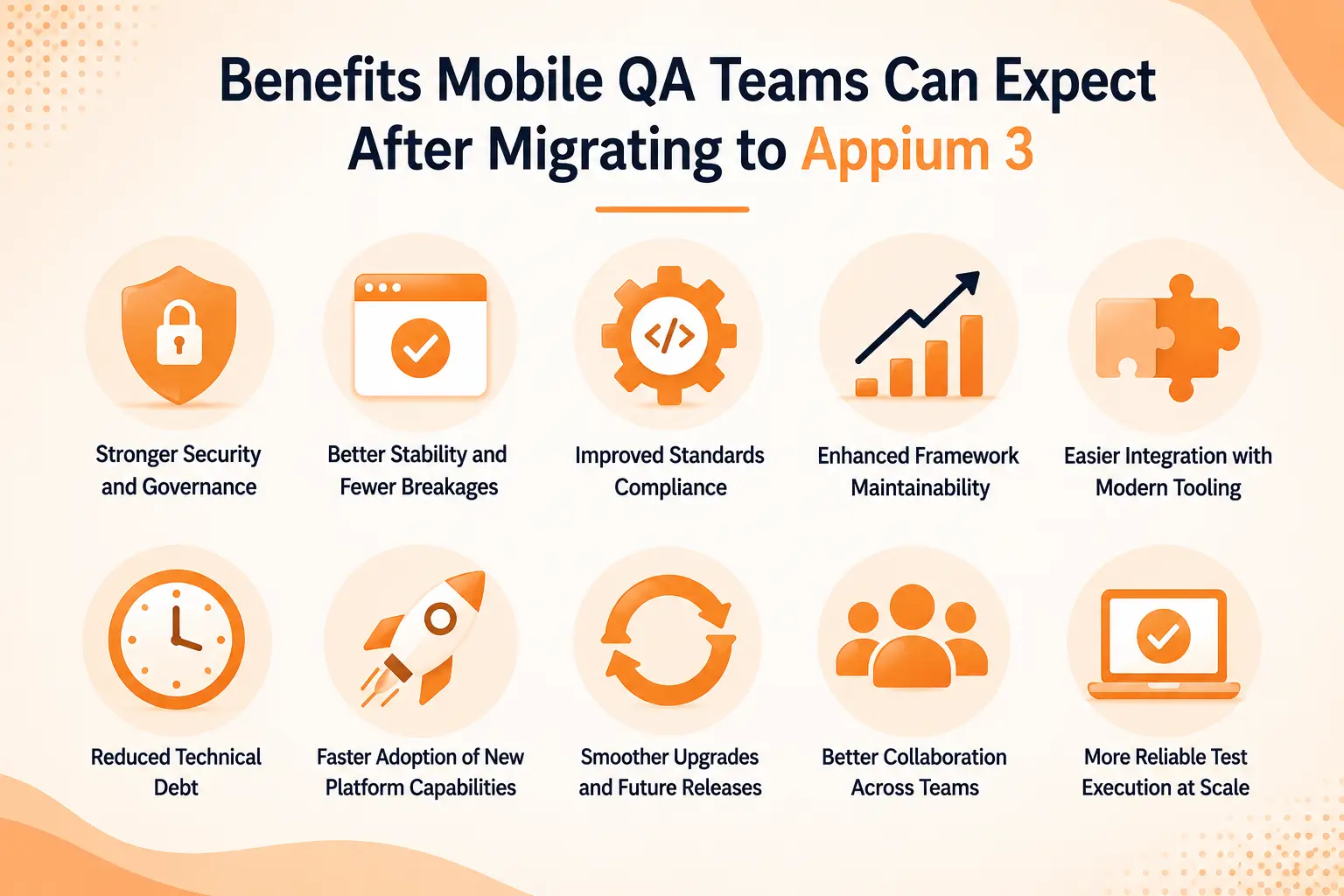
Migrating to Appium 3 requires framework validation and infrastructure updates, but the long-term benefits go beyond compatibility. The release focuses on reducing maintenance overhead, improving ecosystem stability, strengthening security, and creating a cleaner foundation for future automation development.
1. Easier Long-Term Framework Maintenance
Appium 3 removes several deprecated endpoints, legacy behaviors, and outdated dependencies that previously increased maintenance complexity.
For QA teams, this means:
- Fewer compatibility issues across future Appium releases
- Reduced reliance on outdated framework components
- Cleaner upgrade paths for drivers and plugins
- Lower maintenance effort for large automation suites
Removing legacy functionality allows the Appium ecosystem to evolve without carrying unnecessary technical debt.
2. Better Standards Compliance Across Test Environments
Appium 3 continues strengthening alignment with the W3C WebDriver standard, helping create more predictable automation behavior across platforms and drivers.
Key benefits include:
- Improved consistency between Android and iOS automation
- Better interoperability with modern testing tools
- Reduced framework inconsistencies caused by legacy protocols
- Stronger long-term compatibility across the automation ecosystem
This standardization becomes increasingly important as automation frameworks continue moving toward W3C-compliant implementations.
3. Improved Security for Enterprise Testing Infrastructure
Security enhancements introduced in Appium 3 help organizations better protect shared testing environments and centralized automation infrastructure.
Teams can benefit from:
- Stricter controls around feature flags
- More secure session discovery management
- Better protection for shared device farms
- Improved access control across testing environments
These improvements help reduce security risks in large-scale mobile testing operations.
4. More Flexible Driver and Plugin Management
Appium's modular architecture allows drivers and plugins to evolve independently from the core server.
This provides several operational advantages:
- Easier driver upgrades and maintenance
- Faster adoption of platform-specific improvements
- Reduced dependency on core framework updates
- Greater flexibility when managing Android and iOS automation environments
Teams can update components independently without introducing unnecessary framework-wide changes.
5. Faster Support for New Mobile Platform Updates
Supporting modern dependencies and removing legacy constraints allows the Appium ecosystem to respond more efficiently to platform changes.
As a result, QA teams can:
- Validate applications sooner on newer OS versions
- Adopt updated drivers more quickly
- Reduce delays caused by outdated dependencies
- Improve readiness for platform-specific testing requirements
This becomes especially important for organizations testing across multiple Android and iOS versions.
6. A Stronger Foundation for Future Automation Growth
The biggest value of Appium 3 is not a single feature. It is the cleaner foundation it creates for future development.
Organizations that migrate to Appium 3 position themselves to:
- Adopt future driver enhancements more easily
- Benefit from ongoing ecosystem improvements
- Reduce long-term framework maintenance challenges
- Support evolving mobile testing requirements with less friction
While migration requires planning, the result is a more maintainable, secure, and scalable automation environment that is better prepared for future testing demands.
The Bottom Line
As Android and iOS platforms continue evolving, Appium 3 positions teams to adopt new platform capabilities, driver improvements, and ecosystem updates more efficiently. Organizations investing in long-term mobile automation scalability should view Appium 3 not simply as a version upgrade, but as a step toward building a more stable, secure, and sustainable testing infrastructure.
FAQs
Q1. Is Appium 3 a complete replacement for Appium 2?
Ans: No. Appium 3 builds on the modular architecture introduced in Appium 2. The release focuses on modernization, security improvements, dependency upgrades, stricter standards compliance, and the removal of deprecated functionality rather than introducing a completely new framework architecture.
Q2. What are the biggest changes introduced in Appium 3?
Ans: Some of the most important changes include:
- Node.js 20.19+ and npm 10+ requirements
- Complete removal of legacy JSONWire Protocol fallbacks
- Mandatory driver-scoping for feature flags
- A new session discovery protocol that requires server-level opt-in
- Removal of core unzipping utilities, shifting that workload entirely to platform drivers
- Internal infrastructure optimization via an upgrade to the Express 5 engine
- A new built-in Inspector plugin (appium plugin install inspector), allowing teams to host Appium Inspector directly from the server rather than as a separate download
- Support for the X-Appium-Is-Sensitive HTTP header, enabling clients to direct the server to mask sensitive data (such as passwords) in server logs
Q3. Do I need to rewrite my existing Appium test scripts?
Ans: In most cases, no. Many existing test suites can be migrated with minimal changes. However, teams using deprecated commands, legacy TouchAction implementations, or outdated capability definitions may need to update parts of their frameworks.
Q4. Does Appium 3 still support Android and iOS automation?
Ans: Yes. Appium 3 continues supporting Android and iOS automation through platform-specific drivers such as UiAutomator2 and XCUITest. Driver compatibility should still be validated before migration.
Q5. Why does Appium 3 require Node.js 20+?
Ans: The updated runtime requirement allows Appium to adopt modern dependencies, improve security, reduce maintenance overhead, and simplify future development by removing support for older Node.js versions.
Q6. What are the most common migration challenges in Appium 3?
Ans: Common migration issues include:
- Appium Inspector connection failures caused by the new session discovery rules
- CI/CD build pipeline crashes caused by using outdated, global feature flags
- Application installation failures resulting from running outdated platform drivers
- Payload validation errors due to deprecated data structures remaining in framework code
- Outdated runtime environments across local machines and automated execution runners
Most of these issues can be identified early through framework audits and staging environment validation.
Q7. Is Appium 3 more secure than previous versions?
Ans: Yes. Appium 3 introduces stricter controls around feature flags, session discovery, and environment access management. These improvements help organizations better secure shared testing infrastructure and device farms.
Q8. Should teams migrate to Appium 3 immediately?
Ans: That depends on the complexity of the existing automation environment. Teams with modern frameworks and updated infrastructure can usually migrate sooner. Organizations with heavily customized frameworks may benefit from a phased migration strategy that includes staging validation and compatibility testing.
Q9. Can HeadSpin be used with Appium 3?
Ans: Yes. HeadSpin supports Appium-based automation on real Android and iOS devices, allowing teams to run tests, analyze performance, capture logs, review session recordings, and debug issues while using Appium automation workflows.








-1280X720-Final-2.jpg)




