


.png)


.png)



AI-Powered Key Takeaways


Table of Contents

Enterprise Resource Planning (ERP) systems connect business functions such as finance, procurement, inventory, human resources, and supply chain management. Because these functions share data and depend on interconnected workflows, a defect in one module can affect operations across the organization.
ERP testing helps identify these issues before they disrupt business processes. It validates individual modules, integrations, data accuracy, security, and end-to-end workflows to ensure the system performs as expected. A structured ERP testing strategy also helps organizations manage the risks associated with implementation, customization, upgrades, and ongoing changes.
What Is ERP Testing?
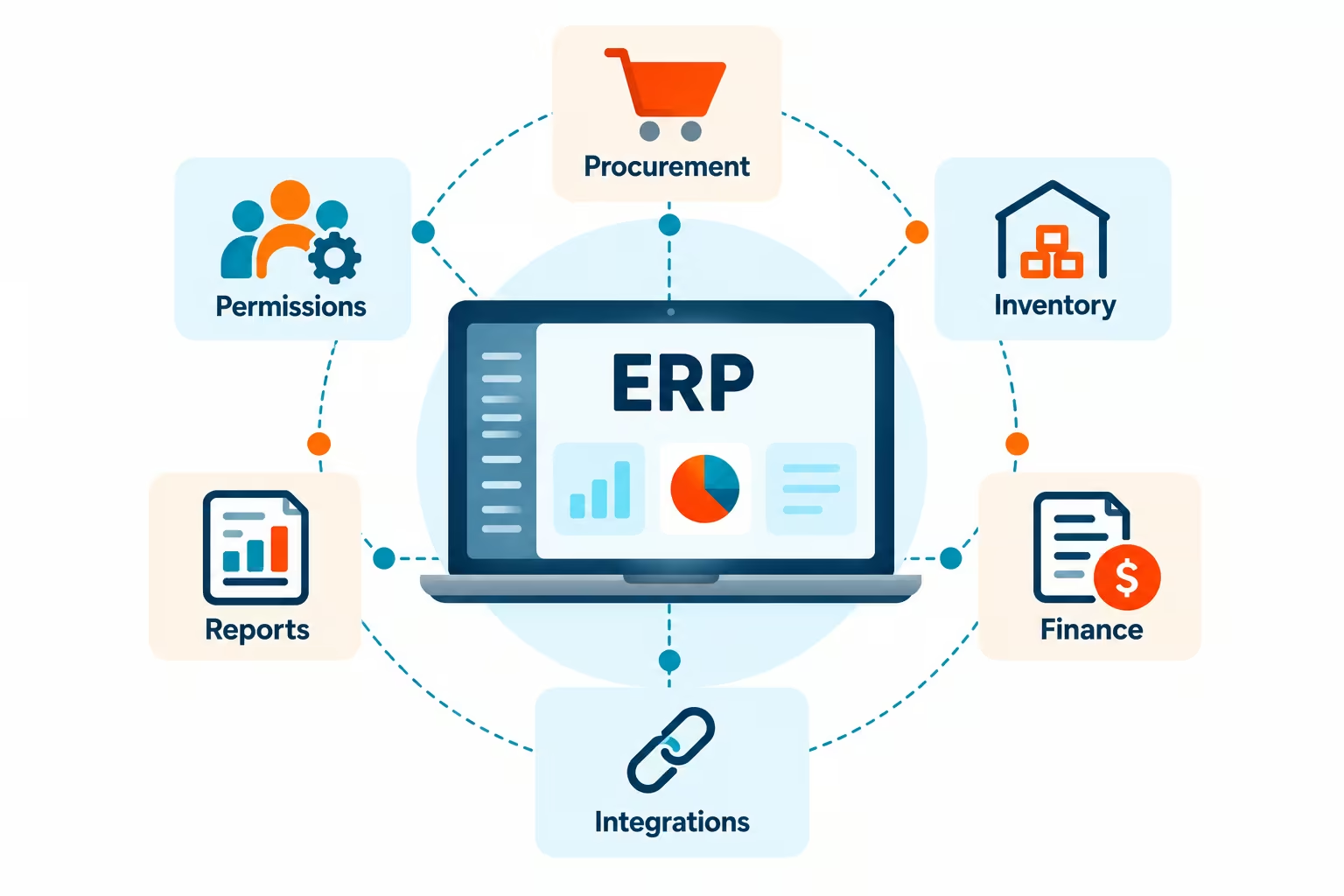
ERP testing is the process of verifying that an ERP system meets business requirements and performs reliably across its modules, integrations, and workflows. It involves checking whether transactions are processed correctly, financial totals and tax amounts are accurate, user permissions are enforced, reports reflect the correct data, and information is exchanged accurately between connected systems.
ERP application testing covers both individual functions and interactions between connected components. For example, when a business raises a purchase order, the system may need to route it for approval, update inventory after receipt, process the supplier invoice, and record the transaction in the financial module.
Testing this workflow verifies that each step functions correctly and that information remains consistent throughout the process. It also helps identify issues caused by configuration changes, customizations, integrations, or data migration.
Also read - AI Mobile Testing: A Complete Guide for QA Teams in 2026
Benefits of ERP Testing
Effective ERP testing helps organizations maintain operational reliability and reduce the risks associated with system changes.
- Improved data accuracy: Testing identifies incorrect calculations, duplicate records, missing information, and inconsistencies between modules.
- Business continuity: Validating critical workflows helps prevent defects from interrupting activities such as order processing, payroll, and financial reporting.
- Security and compliance: Access-control testing verifies that users can access only the information and functions permitted by their roles. It also helps validate relevant compliance controls.
- Reduced maintenance costs: Detecting defects before deployment reduces the effort required to investigate and resolve issues after release.
- Reliable system updates: Regression testing helps ensure that patches, upgrades, and customizations do not break existing functionality.
Types of ERP Testing
ERP software testing involves several testing types, each addressing a different category of risk.
1. Functional Testing
Functional testing verifies that ERP modules behave according to specified business requirements. Testers validate features such as tax calculations, invoice generation, payroll processing, and purchase-order approvals.
2. Integration Testing
Integration testing checks whether ERP modules and external applications exchange data correctly. For example, it can verify that a sales transaction updates inventory and transfers the correct information to the accounting module.
3. End-to-End Testing
End-to-end testing validates complete business workflows across multiple modules and systems. Examples include order-to-cash, which covers an order through payment, and procure-to-pay, which covers purchasing through supplier payment.
4. Regression Testing
Regression testing checks whether existing functionality continues to work after code changes, configuration updates, patches, or upgrades. It is particularly important in ERP environments where a change to one module can affect dependent processes.
5. Performance Testing
Performance testing evaluates response times, transaction processing, and system behavior under expected or increased workloads. It helps identify bottlenecks that could affect users during activities such as month-end financial closing or high-volume order processing.
6. Security Testing
Security testing evaluates authentication, access permissions, and other security controls. It helps identify unauthorized access and weaknesses in the protection of business-sensitive information.
7. Data Migration Testing
Data migration testing verifies that information transferred from legacy systems is complete, accurate, and consistent. It includes reconciling record counts, validating field mappings, and checking calculations after migration.
8. User Acceptance Testing (UAT)
UAT involves business users validating whether the ERP system supports their operational requirements. Users execute representative scenarios and confirm that workflows, outputs, and business rules meet acceptance criteria before deployment.
Also read - What is Dynamic Testing? Benefits, Types and Techniques
ERP Testing Tools
ERP testing tools help teams validate business workflows, automate regression tests, and identify functional and performance issues. The right choice depends on the ERP platform, application interfaces, integration requirements, and testing objectives.
1. HeadSpin
HeadSpin helps teams analyze application performance on real devices, browsers, and networks. It captures more than 130 performance KPIs across application, device, and network layers, helping engineers investigate slow transactions, responsiveness issues, and performance regressions.
Key features:
- Real device and network testing: Tests ERP application workflows on physical mobile devices and across network conditions to identify performance issues that may affect users.
- Performance analytics: Captures 130+ KPIs across application, device, and network layers, including response times and network metrics. This helps engineering teams investigate slow transactions, identify performance bottlenecks, and understand how application behavior changes under different conditions.
- AI-powered Issue Cards: Automatically surfaces and prioritizes UX and performance issues based on their impact, helping teams focus on problems that matter most.
- Regression Intelligence: Compares KPIs across builds to detect performance regressions, with configurable alert watchers to flag issues when defined thresholds are exceeded.
- Automation integration: Works with 60+ automations frameworks such as to capture performance data during test execution, allowing teams to analyze application performance alongside functional test results.
Best suited for: Teams that need to evaluate ERP application performance across real devices, browsers, and networks, investigate performance bottlenecks, and detect regressions during releases. HeadSpin provides performance analytics and testing infrastructure, not load generation.
2. Selenium
Selenium is an open-source browser automation framework that lets teams automate interactions with web applications. It can validate ERP login flows, form submissions, approval processes, and transaction workflows across supported browsers.
Key features:
- Cross-browser automation: Automates web application testing across supported browsers.
- Flexible scripting: Supports multiple programming languages, allowing teams to build reusable tests for ERP workflows.
Best suited for: Teams with programming expertise that need customizable browser-based ERP automation.
Also read - Automated Browser Testing: What Is It & How to Get Started
3. Playwright
Playwright is an open-source browser automation framework supporting Chromium, Firefox, and WebKit. It provides features for automating and debugging web application tests.
Key features:
- Auto-waiting: Waits for relevant elements and actions to become ready, reducing failures caused by timing issues.
- Test debugging: Provides trace recording, screenshots, and other diagnostic capabilities to help investigate failures.
Best suited for: Teams testing browser-based ERP interfaces that need cross-browser coverage and detailed debugging information.
4. Robot Framework
Robot Framework is an open-source, keyword-driven automation framework. With libraries such as SeleniumLibrary and AppiumLibrary, it can support web and mobile application testing.
Key features:
- Keyword-driven test cases: Creates readable tests using reusable keywords, making scenarios easier to understand and maintain.
- Extensible libraries: Integrates with libraries for browser automation, mobile testing, APIs, and other testing requirements.
Best suited for: QA teams that want reusable test cases for ERP workflows spanning multiple modules and interfaces.
5. Apache JMeter
Apache JMeter is an open-source tool for load and performance testing. It can generate concurrent requests against supported protocols and measure response times, throughput, and errors.
Key features:
- Load simulation: Generates concurrent requests to evaluate how supported ERP services behave under different workloads.
- Performance reporting: Collects metrics such as response times, throughput, and error rates to help identify bottlenecks.
Best suited for: Teams evaluating ERP APIs and backend services under expected or elevated traffic. JMeter does not independently validate the complete user experience on physical devices or browsers.
ERP Testing Process
A structured ERP testing process helps teams identify risks early and establish clear release criteria.
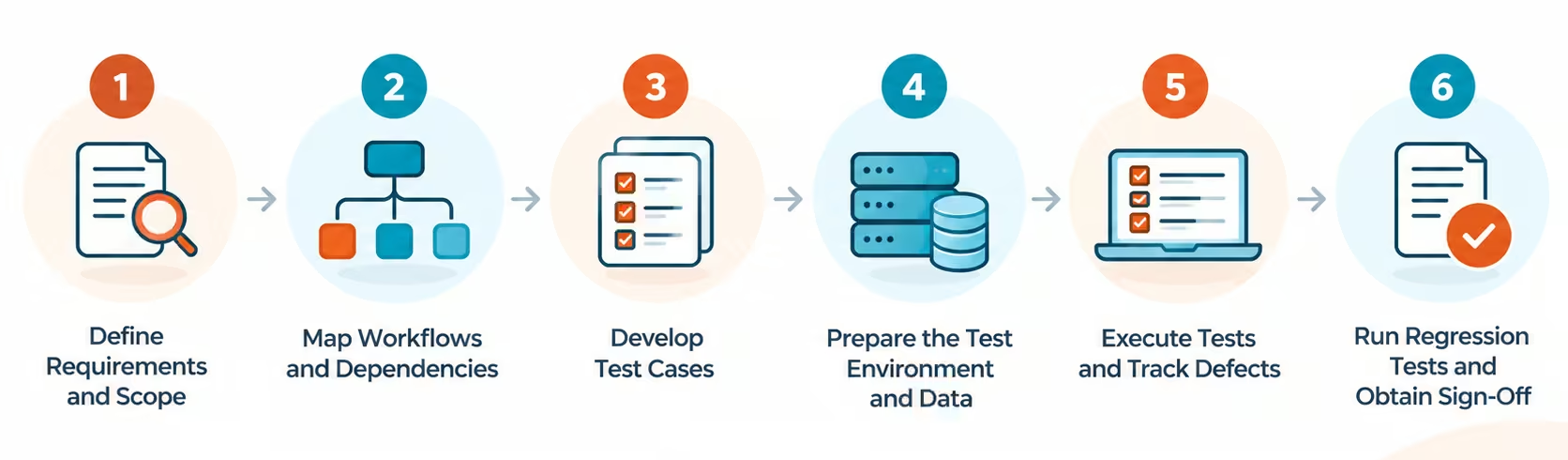
Step 1: Define Requirements and Scope
Identify the business processes, ERP modules, integrations, and customizations that need testing. Prioritize critical workflows and document expected results.
Step 2: Map Workflows and Dependencies
Determine how data moves between modules and external systems. Identify dependencies that could cause a defect in one component to affect other processes.
Step 3: Develop Test Cases
Create test cases covering expected behavior, boundary conditions, invalid inputs, permissions, and failure scenarios. Define measurable acceptance criteria for each test.
Step 4: Prepare the Test Environment and Data
Configure an environment that reflects the relevant system setup. Prepare representative test data while protecting sensitive business and personal information.
Step 5: Execute Tests and Track Defects
Run the planned tests, compare actual results with expected outcomes, and record defects with sufficient details for investigation. Retest fixes to confirm that the issues have been resolved.
Step 6: Run Regression Tests and Obtain Sign-Off
Revalidate affected workflows and critical business functions after fixes or system changes. Review test results, unresolved risks, and acceptance criteria with relevant stakeholders before approving deployment.
Also read - Enterprise Application Testing: Benefits, Types & Best Practices
Best Practices for ERP Testing
Organizations can improve ERP testing effectiveness by following these practices:
- Prioritize business-critical workflows: Focus first on processes where failures could affect revenue, financial accuracy, customer commitments, or compliance.
- Involve business users early: Work with process owners to validate requirements, expected outcomes, and acceptance criteria.
- Use representative test data: Include valid, invalid, boundary, and exception scenarios to uncover defects beyond routine transactions.
- Validate integrations and failure handling: Test missing data, failed connections, duplicate transactions, and recovery behavior where applicable.
- Automate repeatable regression tests: Automate stable, high-value scenarios while retaining manual testing for exploratory and judgment-intensive activities.
- Maintain test coverage: Update test cases when business rules, configurations, integrations, or workflows change.
- Test throughout the system lifecycle: Validate implementations, patches, upgrades, and post-deployment changes instead of treating testing as a one-time activity.
Conclusion
ERP testing helps organizations protect business processes, maintain data integrity, and identify defects before they disrupt operations. A combination of functional, integration, end-to-end, security, performance, and regression testing provides broader coverage across interconnected systems. By prioritizing critical workflows, involving business users, and adopting automation where appropriate, teams can make ERP changes more predictable and maintain system reliability over time.
FAQs
Q1. What is the difference between ERP testing and ERP automation testing?
Ans: ERP testing includes all methods used to validate an ERP system. ERP automation testing uses scripts or automation tools to execute selected tests with less manual intervention.
Q2. When should ERP testing be performed?
Ans: ERP testing should be performed during implementation, before deployment, after upgrades or configuration changes, and throughout ongoing maintenance. Continuous testing helps identify issues as changes are introduced.








-1280X720-Final-2.jpg)




