


.png)


.png)



AI-Powered Key Takeaways


Table of Contents

Introduction
If you build, test, or manage a digital product, you eventually ask the same question: what is a software bug, and how did it reach users?
In plain language, software bugs are faults or errors in a software product that cause unexpected behavior, failures, or a degraded user experience.
A bug can be as small as a misaligned button or as serious as corrupted data, data loss, system crashes, or a security breach. Bugs matter even more in modern software development because mobile, web, OTT, IoT, and connected applications run across countless devices, networks, operating systems, browsers, and integrations.
This guide covers the definition, causes, types, real-world examples, detection methods, and practices teams use to reduce software bugs.
What Is a Software Bug in Technical Terms?
A software bug is a defect in code, configuration, or design that causes a system to behave incorrectly, unreliably, or in ways that expose security risks. In other words, the expected behavior of a software program does not match the actual behavior observed during testing or real-world use.
A software bug can appear in a single code line, a database query, a user interface, an API contract, cloud infrastructure, or the integration points between software components. In some cases, defects result from syntax errors, coding mistakes, missing validation, or flawed assumptions during software development.
Bugs can cause minor annoyances or severe disruptions, including data loss or system crashes. A small UI issue may frustrate an end user, while a critical bug may cause serious malfunctions, corrupted data, and even jeopardize human safety in critical sectors like healthcare and finance.
Why Software Bugs Occur
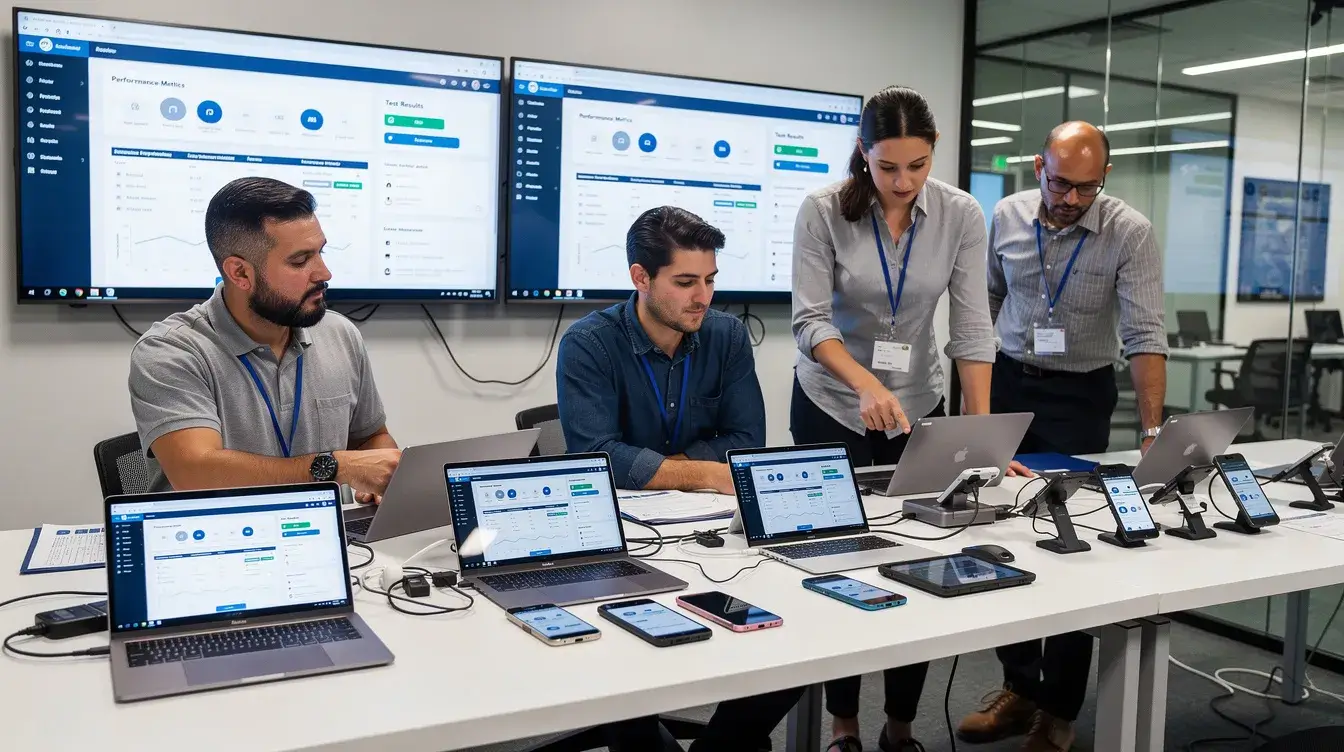
The following sections examine the most common causes of software bugs and how they affect application behavior, performance, stability, and user experience.
1. Unclear or Evolving Requirements
Incomplete, ambiguous, or changing requirements are a common source of defects. Different teams may interpret the same requirement differently, resulting in functionality that technically works but does not align with business expectations or user behavior.
For example, a payment workflow may define successful transaction handling but fail to specify behavior during interrupted network conditions or duplicate submissions.
2. Coding and Logic Errors
Defects frequently originate from incorrect business logic, missing validations, improper exception handling, calculation errors, or unintended side effects introduced during code changes.
Even small modifications can impact dependent modules, APIs, or workflows, particularly in large applications with tightly connected services.
3. Integration and Dependency Failures
Modern applications depend on APIs, databases, cloud infrastructure, third-party SDKs, authentication systems, analytics tools, and external services.
Failures in one component can propagate across the system. An authentication timeout, schema mismatch, or API contract change may surface as application instability, transaction failures, or broken user workflows.
4. Environment and Configuration Differences
Applications often behave differently across development, staging, and production environments due to differences in infrastructure, traffic patterns, datasets, operating systems, browser versions, or deployment configurations.
Some defects only appear under production-scale load, real-user behavior, or region-specific conditions that are difficult to reproduce in controlled environments.
5. Device, Browser, and Network Variability
Mobile, web, and OTT applications must operate across different devices, screen sizes, browsers, operating system versions, hardware capabilities, and network conditions.
Platform-specific rendering behavior, hardware limitations, carrier-level restrictions, or unstable connectivity can introduce issues that remain undetected in emulator-based or limited test environments.
6. Concurrency and Resource Management Issues
Concurrency-related defects occur when multiple processes, requests, or threads access shared resources simultaneously. These issues can lead to race conditions, deadlocks, duplicate transactions, memory leaks, or inconsistent application states.
Types of Software Bugs
Classifying software bugs helps development teams prioritize fixing bugs and choose the right software testing strategy. Software bugs can be categorized into several types, including functional, logical, performance, security, compatibility, usability, concurrency, and domain-specific.
Functional Bugs
Functional bugs occur when software fails to perform an operation as described in the requirements, often due to incorrect implementation or missing validation. Examples include a checkout button that does nothing, a tax calculation that returns incorrect results, or filters that do not apply to a search results list.
These bugs undermine whether functions work as intended. They are often caught through unit testing, regression testing, system testing, and user acceptance testing.
Clear requirements, precise acceptance criteria, and automated functional tests help developers fix bugs earlier in the development phase instead of discovering them after release.
Performance Bugs
Performance bugs affect how efficiently software runs under varying loads, typically stemming from unoptimized queries or inefficient resource management. The function may technically work, but it is too slow, unstable, or costly to run.
Common examples include pages taking more than a few seconds to load on 4G, API latency spikes, memory leaks, battery drain, video buffering, or crashes under concurrent requests. These bugs may cause users to abandon a transaction even when no visible error message appears.
Load testing, performance testing, and real-user monitoring are key because performance bugs are often environment-sensitive. A feature may behave well in a lab but produce incorrect timing or resource behavior on real devices and real networks.
Usability Bugs
Usability bugs impact the user experience by degrading how intuitively users interact with an application, even if they do not break functionality. The software may complete the task, but the experience feels confusing, inconsistent, or frustrating.
Examples include unclear navigation, inconsistent labels, inaccessible color contrast, poor error messages, or forms that do not explain how to fix invalid input.
Usability testing, accessibility testing, session observation, and product analytics help uncover these problems before they lower conversion, satisfaction, and retention.
Compatibility Bugs
Compatibility bugs are failures or inconsistencies that occur only on certain browsers, operating systems, devices, screen sizes, or hardware configurations.
Examples include a layout that breaks only on a specific Android version, a feature that works in Chrome but fails in Safari, or video playback that stutters on certain Smart TVs.
These bugs arise from platform differences, vendor-specific behavior, and hardware capabilities. Cross-browser testing and real-device testing are essential because emulators do not always reproduce device-specific rendering, sensor, network, or media issues.
Integration Bugs
Integration bugs surface when multiple services, software components, or third-party APIs interact incorrectly. A payment gateway may reject a request due to incorrect configuration, a microservice may return a mismatched schema, or an identity provider may reject valid tokens.
These bugs are common in systems with external dependencies such as payment gateways, SMS providers, analytics SDKs, streaming CDNs, and fraud tools.
Integration testing, contract testing, end-to-end testing, and production-like environments help teams catch these issues before users experience them.
Concurrency and Resource Bugs
Concurrency bugs include race conditions, deadlocks, and errors that occur when multiple threads, requests, or processes run in parallel. Resource bugs include memory leaks, CPU spikes, file descriptor leaks, or inefficient caching.
Examples include double-charged orders due to simultaneous submissions, inconsistent banking balances, or crashes during traffic bursts.
These bugs are often intermittent and hard to reproduce because timing matters. Debugging tools, logs, traces, monitoring, and specialized load testing are usually needed to identify root causes and fix the problem reliably.
Real-World Examples of Software Bugs
Famous software bugs show why quality is not only an engineering concern. It is a business, safety, and trust issue.
- Knight Capital’s 2012 trading failure is classic example. A release activated dormant logic and generated accidental trades, causing a loss of about $440 million in less than an hour. Stronger release controls, rollback mechanisms, and monitoring could have reduced the blast radius.
- The 2018 TSB Bank IT migration incident in the UK locked many customers out of banking services and damaged trust. Integration issues, infrastructure differences, and insufficient testing across supposedly identical environments contributed to the disruption.
- Large-scale outages can also come from configuration or deployment bugs. A bad network rule, DNS change, or CDN configuration can take down services globally, even when the application code itself is mostly correct.
- Consumer apps face the same risk at a different scale. A mobile app with battery drain, slow startup, or confusing navigation may not make headlines, but users respond quickly with uninstalls and negative app store reviews. The core lesson is consistent: test in realistic environments, roll out carefully, monitor continuously, and learn from every failure.

How to Detect Software Bugs Effectively
Software development relies heavily on Quality Assurance (QA) to catch defects before end-users see them. Thorough testing methods, such as system integration and unit testing, aid in the early detection of defects in software development, enabling appropriate adjustments.
Different testing levels reveal different issues:
- Unit tests check small units of source code.
- Integration tests verify how services and modules work together.
- System tests validate the entire system end-to-end.
- Acceptance tests confirm that required functions meet business expectations.
- Exploratory testing helps testers find unexpected behavior and other bugs that scripts may miss.
Automated testing in CI/CD pipelines helps teams detect bugs early by validating every code change through unit, integration, regression, and performance tests before deployment. This shortens feedback cycles and reduces the risk of defective builds reaching production.
Real-device and real-network testing are equally important for mobile, web, OTT, and connected software. This is where teams uncover performance, compatibility, usability, and integration bugs that do not appear under ideal lab conditions.
Bug tracking tools are essential in software development because they help teams identify, prioritize, assign, track, and resolve defects throughout the software lifecycle. These tools provide a centralized system where testers, developers, product teams, and stakeholders can collaborate on reported issues, monitor status changes, and maintain visibility into unresolved defects across releases.
Good bug reports further reduce diagnosis time and improve reproducibility. Including clear reproduction steps, expected and actual results, logs, screenshots, video recordings, device details, browser or OS versions, timestamps, and network traces helps engineering teams isolate root causes faster and resolve issues more efficiently.
Best Practices to Prevent Software Bugs
Software bugs cannot be eliminated completely, but teams can prevent bugs by improving the development process, tooling, and culture.
Here are some best practices that can help in avoiding software bugs:
- Start with clarity: Requirements should describe business rules, edge cases, data constraints, and acceptance criteria. Ambiguous requirements often produce incorrect implementation because developers and testers interpret the same feature differently.
- Strengthen engineering practices: Code reviews, consistent standards, type checking, linting, and static analysis tools catch common problems before code reaches shared branches. Promoting a culture of teamwork, peer review, and information sharing can improve overall code quality and lower the frequency of problems during software development.
- Build and maintain a layered test suite: Unit tests catch logic issues early, integration testing catches service mismatches, regression testing protects existing behavior, and performance tests identify bottlenecks before scale exposes them.
- Adopt Shift-left testing: Running tests on every pull request, or build, shortens feedback loops and prevents small issues from accumulating into expensive release blockers.
Detecting software bugs requires a combination of testing, automation, observability, and continuous monitoring. Modern testing platforms help teams bring these capabilities together throughout the software lifecycle.
How HeadSpin Helps Detect and Prevent Software Bugs
HeadSpin combines testing, AI, automation, and observability capabilities to help teams detect, diagnose, and prevent software defects throughout the development lifecycle.
- Real-device and cross-browser testing help teams uncover functional, compatibility, and environment-specific issues that may not appear in emulators, simulators, or limited test environments.
- Automated testing and CI/CD integrations enable teams to validate every build continuously, helping detect defects earlier in the development cycle and reduce the risk of release-day surprises.
- Regression Intelligence compares application behavior across builds, devices, locations, and network conditions to identify unexpected changes before they impact users.
- Waterfall UI helps in correlating application, device, and network data, in time series view along with session recordings helping teams quickly understand why failures occur and reduce debugging time.

Conclusion
A software bug is more than a coding mistake. It is a defect that can undermine functionality, reliability, maintainability, security, and user trust.
As software products grow across devices, networks, services, and geographies, disciplined software testing and continuous monitoring become essential. Teams that combine clear requirements, automated testing, real-device validation, strong observability, and continuous learning are better positioned to fix bugs early and avoid costly production failures.
HeadSpin helps enterprises manage software bugs proactively across mobile, web, OTT, and connected experiences. If your team wants to reduce release risk and deliver higher-quality digital experiences, start by testing where your users actually are: on real devices, real networks, and real-world conditions.
FAQs
Q1. How are software bugs detected?
Ans: Software bugs are detected through techniques such as unit testing, integration testing, system testing, regression testing, performance testing, exploratory testing, code reviews, monitoring, and real-device testing.
Q2. Can software bugs be completely eliminated?
Ans: No. Modern software systems are highly complex, making it impossible to eliminate all bugs. The goal is to identify and resolve defects as early as possible and reduce the risk of issues reaching production.
Q3. Why do some software bugs only appear in production?
Ans: Some bugs only surface under real-world conditions such as production traffic levels, device variations, browser differences, network conditions, third-party integrations, or specific user behaviors that are difficult to reproduce in test environments.
Q4. What is the best way to prevent software bugs?
Ans: Preventing software bugs requires clear requirements, code reviews, automated testing, continuous integration, real-device validation, monitoring, and a structured quality assurance process throughout the software development lifecycle.







-1280X720-Final-2.jpg)




