


.png)


.png)


AI-Powered Key Takeaways


Table of Contents

A new software build is ready for testing. Do you check the application's critical functions first, or focus specifically on the feature that was just changed?
That is the basic distinction between smoke testing and sanity testing.
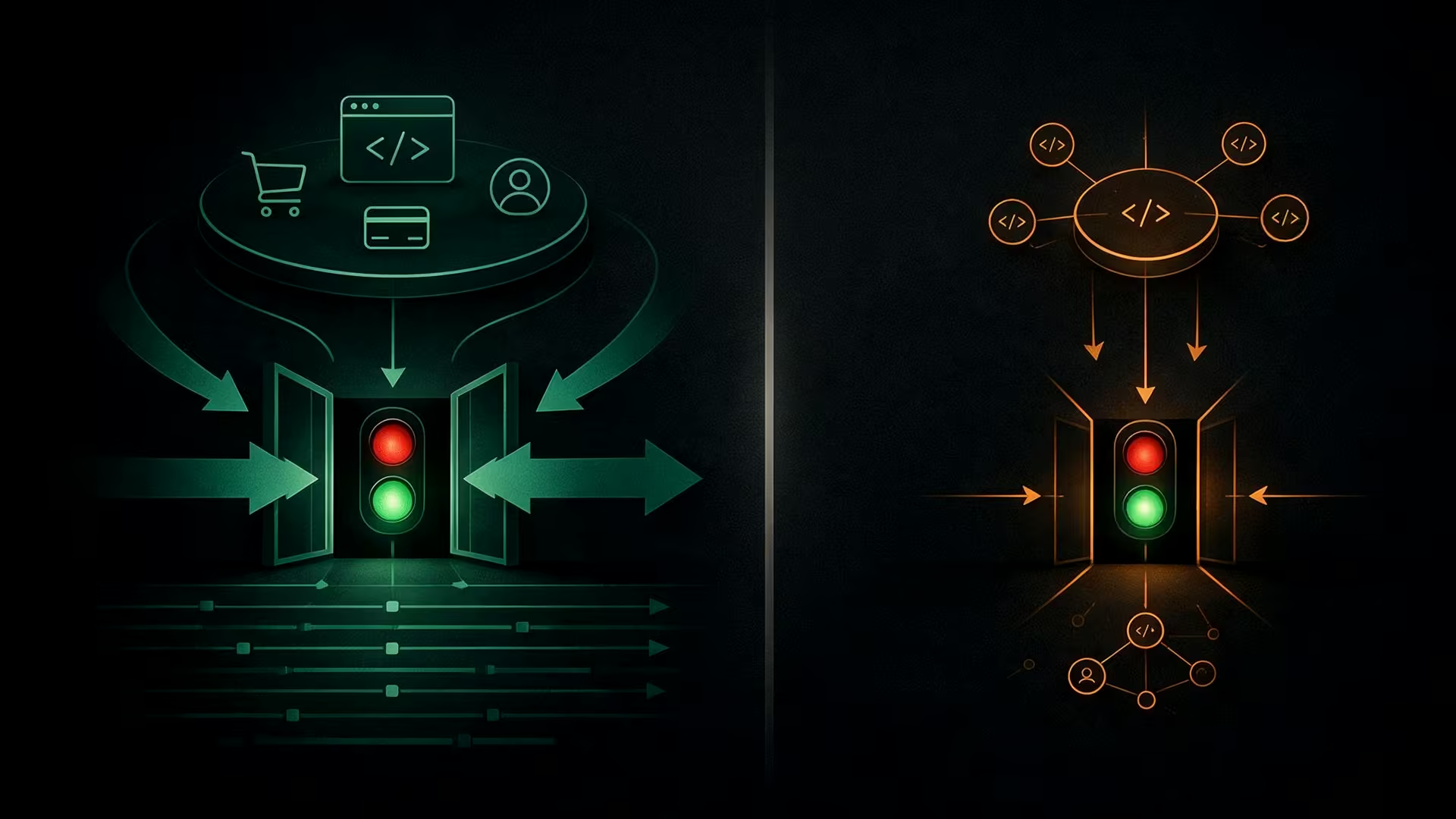
Smoke testing checks whether a build is stable enough for further testing. It covers a small set of critical functions across the application to catch major failures early. Sanity testing has a narrower purpose. It checks a specific change, bug fix, or affected area to confirm that it works correctly before the team moves ahead.
Both help QA teams get faster feedback without immediately running a large regression suite. However, their scope, timing, and purpose are different.
This guide explains what is smoke testing and sanity testing, how they differ, their advantages and limitations, and when each type of testing makes sense.
Smoke Testing vs Sanity Testing: Quick Comparison
The easiest way to understand the difference between smoke and sanity testing is to look at the question each one answers.
In simple terms, smoke testing asks whether the build works at a basic level. Sanity testing asks whether a particular change works as expected.
Aslo Read - Key Differences between Smoke Testing vs Regression Testing
What Is Smoke Testing?
Smoke testing is a quick set of tests performed to determine whether the main functionality of a software build works well enough for planned testing to continue.
The term is commonly associated with Build Verification Testing (BVT). Instead of testing every feature in depth, the team selects a small number of important workflows that can quickly reveal whether something fundamental is broken.
The ISTQB glossary describes a smoke test as a test suite covering the main functionality of a component or system to determine whether it works properly before planned testing begins.
Consider a mobile banking application. A smoke test might verify that:
- The application launches successfully
- A user can log in
- The account dashboard loads
- Account information can be viewed
- A core transaction workflow can be initiated
The tester is not examining every input, validation rule, edge case, or transaction scenario at this stage. The goal is to find failures serious enough to make further testing impractical.
If login is completely broken, for example, there is little value in immediately running hundreds of tests that require an authenticated user.
Key Characteristics of Smoke Testing
1. It focuses on critical functionality
A smoke suite should cover functions that are essential to the application's basic operation.
For an e-commerce application, this could include login, product search, adding an item to the cart, and reaching checkout. For a streaming application, it might include login, browsing content, starting playback, and basic playback controls.
2. It is broad but shallow
Smoke testing covers several important parts of an application without examining each one in detail.
A smoke test might confirm that checkout can be completed successfully. It would not necessarily test every payment method, invalid address combination, coupon rule, tax scenario, and error condition.
3. It provides fast build feedback
Smoke testing helps teams determine whether a build is worth testing further.
When a fundamental function fails, the team can address the problem before spending additional time on a large functional or regression suite.
4. It is frequently automated
Because smoke tests are run repeatedly against builds and release candidates, stable smoke scenarios are good candidates for automation.
Automated smoke tests can also be incorporated into CI/CD workflows so that critical checks run after relevant builds or deployments.
5. It is not comprehensive testing
Passing a smoke test does not mean the application is defect-free or ready for production.
It only indicates that the critical functions included in the smoke suite are working well enough for the next stage of testing.
Also Read - Top Software Testing Tools
Advantages of Smoke Testing
1. Identifies major failures early
Smoke testing can detect problems such as an application failing to launch, authentication being unavailable, or an important workflow being inaccessible before more extensive testing begins.
2. Avoids wasted testing effort
There is little value in running a lengthy regression suite against a build with fundamental failures. Smoke testing provides an early checkpoint.
3. Provides fast feedback
Because the suite is intentionally small, teams can get an early indication of build stability without testing every application function.
4. Works well with automation
Critical workflows that remain consistent across releases can be automated and executed whenever appropriate within the development pipeline.
5. Creates a consistent build check
A defined smoke suite gives teams a repeatable baseline for deciding whether a build should move to deeper testing.
Also Read - Benefits of Automation Testing for Enterprises
Disadvantages of Smoke Testing
1. Provides limited coverage
Smoke tests deliberately cover only important workflows. Defects in secondary features, edge cases, and complex interactions may remain undetected.
2. Can create false confidence if misused
A successful smoke test confirms only what the smoke suite covered. It should not be treated as proof that the entire application is stable.
3. Requires careful test selection
A suite with too few tests may miss important failures. A suite that becomes too large starts losing the speed and simplicity that make smoke testing useful.
4. Needs ongoing maintenance
As an application changes, its critical user journeys may also change. Smoke suites need to be reviewed so that they continue to represent the functionality that matters most.
Pros and Cons of Smoke Testing
Smoke testing helps teams identify major build problems early, but its intentionally limited scope means it cannot provide complete test coverage.
Also Read - Pros and Cons of Selenium in Automation Testing
Example of Smoke Testing
Consider an e-commerce application that has just received a new build.
Before running detailed functional and regression tests, the QA team executes the following smoke tests:
- Open the application and confirm that the home page loads.
- Sign in with a valid user account.
- Search for a product.
- Open the product details page.
- Add the product to the cart.
- Proceed to checkout.
- Complete a basic purchase using a supported payment method.
- Confirm that the order confirmation screen appears.
Suppose the application opens and search works, but users cannot add products to the cart.
That is a significant failure because it blocks one of the application's core commercial journeys. The team can stop the broader test cycle, investigate the problem, and test a corrected build instead of continuing with deeper checkout, payment, and order-management scenarios.
The smoke test has done exactly what it was designed to do: determine whether the build is suitable for further testing.
What Is Sanity Testing?
Sanity testing is a focused check performed after a specific change, fix, or relatively small update to confirm that the affected functionality behaves as expected.
Instead of checking critical functionality across the application, the tester concentrates on the changed area and, where appropriate, nearby functionality that could have been affected.
For example, suppose developers fix a problem that prevented promotional codes from being applied during checkout. A sanity test could verify that:
- A valid promotional code is accepted
- The correct discount is applied
- The order total is recalculated
- Checkout can continue after the discount is applied
- Closely related cart behavior still works
The team does not need to recheck unrelated functionality such as profile photos, product reviews, or account registration as part of that sanity check.
This narrow scope is why sanity testing is commonly associated with regression testing. It provides a quick way to validate the changed area without immediately executing a much larger regression suite. HeadSpin's current guidance similarly describes sanity testing as a targeted check around a specific bug fix or minor code change.
Also read - What Is a Software Bug? Types, Examples, and Causes
A terminology note: smoke and sanity testing are not defined consistently everywhere. Some testing glossaries have historically treated "sanity test" as another term for a smoke or confidence test. In everyday QA practice, however, teams commonly distinguish sanity testing as the narrower, change-focused check described in this guide.
Key Characteristics of Sanity Testing
1. It has a narrow scope
Sanity testing concentrates on the functionality affected by a recent change rather than checking critical paths throughout the application.
2. It validates a specific change
The central question is simple:
Does the change actually work?
If a defect was fixed, the team verifies the corrected behavior. If functionality was modified, testers check whether the updated behavior matches expectations.
3. It can include related functionality
A good sanity test does not necessarily stop at the exact field, button, or API that changed.
Testers may also check closely connected behavior where the modification could reasonably have an impact.
4. It assumes a reasonably stable build
Sanity testing is normally useful when overall build stability is not the main question.
If the entire application is failing to start or major workflows are inaccessible, the team has a broader build problem rather than a targeted sanity-testing problem.
5. It can be manual or automated
There is no rule that sanity testing must be manual.
A quick one-off check may be performed manually, while frequently repeated or business-critical sanity scenarios can be automated. The choice depends on the change, risk, frequency, and the team's testing process.
Advantages of Sanity Testing
1. Provides focused feedback
The team can quickly determine whether a recent fix or modification behaves correctly without starting with a full regression suite.
2. Reduces unnecessary testing
Tests can concentrate on the affected functionality when the change is limited in scope.
3. Helps validate fixes quickly
If developers correct a reported defect, sanity testing provides an efficient way to check whether that fix actually resolves the issue.
4. Can cover nearby impact
Testers can verify not just the changed functionality but also directly related behavior that could have been affected.
5. Useful for patches and small changes
Sanity checks are particularly practical when a small update needs targeted validation before broader testing or release activities continue.
Disadvantages of Sanity Testing
1. Its narrow scope can miss unrelated defects
Sanity testing is intentionally selective. Problems elsewhere in the application may remain undiscovered.
2. Coverage depends on understanding the change
Testers need enough information about what was modified and which functionality could be affected to choose useful test scenarios.
3. It cannot replace regression testing
A sanity test provides targeted validation. It does not establish that changes have had no effect elsewhere in a complex application.
4. Poorly defined scope can weaken the test
Testing only the exact changed component may miss problems in closely connected functionality. Expanding the scope too far, however, can turn a quick sanity check into a larger regression exercise.
Pros and Cons of Sanity Testing
Sanity testing gives teams fast, focused feedback after a change or bug fix. Its narrow scope, however, means it should not be used as a substitute for broader regression testing.
Example of Sanity Testing
Return to the same e-commerce application.
The build has already passed its basic checks, but users previously encountered a defect where applying a promotional code displayed the discount without updating the final checkout amount.
Developers fix the calculation logic.
Instead of rerunning every e-commerce test immediately, the QA team performs a sanity test focused on the affected checkout area:
- Add a product to the cart.
- Apply a valid promotional code.
- Verify that the expected discount appears.
- Confirm that the final total changes correctly.
- Remove the promotional code and verify that the original total returns.
- Proceed to payment.
- Confirm that the correct amount is carried into the payment workflow.
If these checks pass, the team has evidence that the specific fix and its closely related functionality are behaving as expected.
This example also shows the central difference in smoke vs sanity testing.
The smoke test checked whether the overall purchase journey worked. The sanity test concentrated on one recently corrected part of that journey.
When to Use Smoke Testing vs Sanity Testing
Choosing between sanity or smoke testing depends mainly on what changed and what the team needs to learn from the test.
1. Use Smoke Testing When:
- A new application build becomes available
- Major functionality has been integrated
- A build has been deployed to a new test environment
- The team wants to verify critical workflows before starting regression testing
- A release candidate needs a quick check of essential functionality
- Automated pipelines need an early build-level quality gate
The important question is:
Is the build stable enough to continue testing?
2. Use Sanity Testing When:
- A specific defect has been fixed
- A small feature or existing behavior has been modified
- A patch or hotfix needs targeted validation
- The team wants to verify an affected module before broader regression testing
- A recent change needs quick validation across a limited group of related scenarios
The important question is:
Does this particular change work correctly?
3. Can You Use Both?
Yes. Sanity testing and smoke testing are not competing approaches.
A build can go through smoke testing to verify basic stability and later undergo sanity testing when individual changes or fixes need focused validation.
For example:
New build → Smoke test → Functional/regression testing → Bug found → Fix implemented → Sanity test → Relevant regression testing
The exact sequence will differ between teams and delivery models. The important point is to use each test for the question it is designed to answer rather than treating the terms as interchangeable.
How Smoke and Sanity Testing Ensure Release Readiness
Smoke and sanity tests help teams make faster decisions during development, but neither test establishes release readiness on its own.
Smoke testing prevents obviously unstable builds from consuming additional testing time. Sanity testing checks whether individual changes are behaving correctly before the team moves further into validation.
Together, they create useful checkpoints:
- Smoke testing filters builds: Critical functionality is checked before deeper testing begins.
- Sanity testing validates changes: Fixes and targeted modifications are checked before broader testing continues.
- Regression testing expands coverage: The team examines whether changes have affected existing functionality elsewhere.
Depending on the application and release risk, teams may also need integration, compatibility, performance, security, accessibility, usability, and other forms of testing before releasing software.
The goal is not to choose smoke testing vs sanity testing as a single release strategy. It is to place each one where it provides useful information without duplicating unnecessary testing.
How HeadSpin Supports Smoke and Sanity Testing
HeadSpin allows teams to execute automated tests using frameworks such as Appium and Selenium across real devices and browsers. Teams can use this infrastructure to run critical smoke workflows or targeted sanity tests across the device and environment combinations relevant to their application.
HeadSpin's global device infrastructure includes real devices across 50+ locations, helping teams extend these checks beyond a limited local device setup when broader device or regional validation is required.
Conclusion
The difference between smoke and sanity testing becomes much easier to understand when you focus on the decision each test supports.
Smoke testing asks whether the build's critical functionality works well enough for more testing to begin. It is broad, shallow, and designed to identify major failures quickly.
Sanity testing asks whether a specific fix or change behaves correctly. It is narrower and focuses on the modified functionality and closely related areas.
Neither approach replaces comprehensive testing. Used at the right points in the development cycle, however, they help teams catch problems earlier, avoid unnecessary test execution, and make better decisions about what should happen next.
FAQs
Q1. Can smoke testing be automated?
Ans: Yes. Smoke testing is well suited to automation because the same set of critical workflows may need to run repeatedly against new builds or deployments.
Automated smoke suites can also be incorporated into CI/CD processes to provide early feedback when critical functionality fails.
Q2. Can sanity testing be automated?
Ans: Yes. Sanity testing can be either manual or automated.
A tester may manually validate a small, one-time fix, while frequently changing or business-critical functionality may justify automated sanity checks. The decision should depend on how often the test will run, the risk of the change, and the cost of maintaining the automation.
Q3. Is sanity testing a type of regression testing?
Ans: Sanity testing is commonly treated as a focused form or subset of regression testing because it checks a limited portion of the application after a change.
Full regression testing generally covers a much wider set of existing functionality, while sanity testing concentrates on the changed area and closely related behavior.





-1280X720-Final-2.jpg)




