


.png)


.png)


AI-Powered Key Takeaways


Table of Contents

The success of any streaming platform today depends on one critical factor, uninterrupted, high-quality viewing experiences. In a market where users can switch services in seconds, even minor issues like buffering, slow startup times, playback errors, or device incompatibility can directly impact subscriber retention and revenue.
As millions of users access platforms like Netflix, Disney+, and YouTube simultaneously, even minor issues such as slow startup time, audio-video sync errors, bitrate drops, or app crashes can significantly impact viewer satisfaction and subscription retention. OTT testing helps detect these issues before release by validating streaming quality, load handling, cross-device compatibility, billing flows, and security compliance.
In today’s highly competitive streaming ecosystem, delivering flawless performance is not optional, it is a revenue and retention imperative. This guide explores everything you need to know about OTT testing, including its types, checklist, key performance indicators (KPIs), common challenges, and best practices for ensuring high-quality streaming experiences.
What is OTT Testing?
OTT testing is the process of evaluating over-the-top (OTT) streaming platforms to ensure optimal video quality, performance, compatibility, security, and user experience across devices and network conditions. It validates streaming stability, adaptive bitrate behavior, load handling, cross-platform functionality, and billing workflows before release.
OTT testing focuses on identifying issues such as buffering, startup delays, audio-video sync problems, frame drops, app crashes, DRM failures, and device incompatibility. By testing under real-world traffic and network scenarios, QA teams ensure the platform delivers seamless streaming across smartphones, smart TVs, tablets, browsers, and gaming consoles.
Unlike traditional software testing, OTT testing emphasizes video delivery quality, network variability, device fragmentation, and large-scale concurrent streaming performance, making it a specialized discipline within media and entertainment QA.
Read: How OTT Platform Reliability Testing is Reshaping Media
Why is OTT Testing Important?
OTT testing is critical because streaming performance directly impacts user retention, revenue, and brand reputation. In a highly competitive streaming ecosystem, users expect instant playback, zero buffering, high-definition video, and seamless device switching. Even minor disruptions can lead to subscriber churn.
1. Protecting Viewer Retention and Revenue
Slow startup times, excessive rebuffering, playback crashes, or DRM failures can cause immediate drop-offs. Studies show that users abandon streaming sessions within seconds if performance degrades. OTT testing helps identify these issues before release by validating:
- Startup time
- Rebuffer ratio
- Adaptive bitrate performance
- Crash frequency
- Concurrent user handling
By proactively resolving performance bottlenecks, platforms reduce churn and protect recurring subscription revenue.
2. Ensuring Consistent Cross-Device Experiences
OTT platforms must function across smartphones, tablets, smart TVs, browsers, gaming consoles, and multiple operating systems. Device fragmentation introduces variations in:
- Screen resolution
- Processing power
- OS behavior
- Browser rendering
- Codec support
OTT testing ensures consistent video playback, UI responsiveness, and feature availability across all supported device combinations.
3. Maintaining Streaming Quality Under Variable Networks
Users frequently switch between WiFi, 4G, and 5G networks. Without proper adaptive bitrate testing and network simulation, playback quality may degrade unpredictably.
OTT performance testing validates:
- CDN responsiveness
- Latency under load
- Video MOS and VMAF scores
- Frame drop rate
This ensures stable streaming even during peak traffic events or network fluctuations.
4. Supporting Global Expansion and Localization
OTT services operate across regions with varying compliance standards, content licensing rules, currencies, and languages. Geolocation and localization testing verify:
- Regional content availability
- Subtitle accuracy
- Currency and pricing localization
- Regulatory compliance (e.g., GDPR)
This enables platforms to scale globally without compromising user experience.
5. Safeguarding Security and Billing Integrity
OTT platforms store sensitive user data, including payment information and subscription credentials. Security testing helps prevent:
- Data breaches
- Unauthorized access
- Payment fraud
- DRM bypass attempts
By validating authentication flows, encryption protocols, and billing systems, OTT testing ensures platform integrity and user trust.
Types of OTT Testing
OTT platforms require a specialized testing approach that goes beyond traditional software QA. Due to device fragmentation, network variability, and large-scale concurrent streaming, OTT testing includes both functional and non-functional validation tailored specifically to video delivery platforms.
1. Functional Testing for OTT Platforms
Functional testing ensures that all core streaming features operate correctly across supported devices and platforms. This includes validating:
- User authentication and login flows
- Search and content discovery
- Video playback (play, pause, skip intro, resume)
- Watchlist and recommendation engines
- Download and offline viewing
- Subscription and billing workflows
Unlike traditional applications, OTT functional testing must validate consistent behavior across mobile apps, smart TVs, web browsers, and gaming consoles.
2. OTT Performance Testing
Performance testing evaluates how the platform behaves under varying network conditions and user loads. This is one of the most critical aspects of OTT testing.
Key areas include:
- Startup time
- Rebuffer ratio
- Adaptive bitrate switching
- Frame drop rate
- CDN latency
- Concurrent user load handling
- Video MOS and VMAF scores
Performance validation ensures stable streaming during peak traffic events such as live sports or new content releases.
3. Compatibility and Cross-Device Testing
OTT services must operate across a wide range of:
- Smartphones (Android, iOS)
- Smart TVs (Samsung, LG, Android TV, Roku)
- Tablets
- Web browsers
- Gaming consoles
Device fragmentation introduces variations in codecs, screen resolution, OS behavior, and processing capabilities. Compatibility testing ensures consistent playback quality and UI rendering across all supported combinations.
4. Network and Adaptive Bitrate Testing
Users frequently switch between WiFi, 4G, and 5G networks. Network testing validates:
- Smooth bitrate transitions
- Playback continuity during network handoffs
- Bandwidth throttling scenarios
- Packet loss simulation
- CDN failover behavior
This ensures uninterrupted streaming under real-world conditions.
5. Security and DRM Testing
OTT platforms must protect premium content and user data. Security testing verifies:
- DRM enforcement
- Encryption protocols
- Two-factor authentication
- Payment gateway security
- Data masking and privacy compliance
This prevents piracy, data breaches, and billing fraud.
6. Localization and Geolocation Testing
Global OTT platforms must comply with regional licensing rules and localization standards.
Testing includes:
- Region-based content availability
- Subtitle and dubbing validation
- Currency and billing localization
- Regulatory compliance (e.g., GDPR)
7. Automation and Continuous Testing
Given the frequency of app updates, OTT platforms rely heavily on automated regression and performance testing integrated into CI/CD pipelines.
Automation helps validate:
- Playback stability after updates
- Cross-device regression
- Performance KPIs across builds
- Video quality metrics at scale
How to Perform OTT Testing
Performing OTT testing requires a structured, multi-layered approach that validates streaming quality, device compatibility, and performance under real-world conditions.
Step 1: Define Scope and Performance Benchmarks
Start by identifying:
- Supported devices and platforms
- Target geographic regions
- Network conditions to simulate
- Performance KPIs (startup time, rebuffer ratio, MOS, etc.)
- Maximum concurrent user thresholds
Clearly defined benchmarks ensure measurable validation.
Step 2: Set Up a Realistic Test Environment
OTT testing must replicate production conditions as closely as possible.
This includes:
- Real device testing (smart TVs, mobile devices, browsers)
- Network simulation tools (bandwidth throttling, packet loss)
- CDN routing validation
- Regional device distribution
Avoid relying solely on emulators.
Step 3: Execute Functional and Playback Testing
Validate core streaming features:
- Authentication and subscription flows
- Search and content discovery
- Playback controls and resume logic
- Adaptive bitrate transitions
- Offline downloads
- DRM enforcement
Testing must cover both manual and automated scenarios.
Step 4: Conduct Performance and Load Testing
Simulate real-world traffic spikes, including:
- Peak concurrent users
- Live event streaming
- CDN failover scenarios
Measure:
- Startup latency
- Rebuffer frequency
- Frame drop rate
- Bitrate stability
Step 5: Validate Cross-Device and Cross-Platform Compatibility
Test across:
- Android & iOS devices
- Smart TVs
- Browsers
- Gaming consoles
Ensure consistent playback quality, UI rendering, and feature availability.
Step 6: Automate Regression Testing
Integrate automated playback validation and KPI benchmarking into CI/CD pipelines to:
- Prevent performance regressions
- Catch playback failures early
- Validate every release build
Automation is essential for scaling OTT QA.
Step 7: Monitor Post-Release Performance
OTT testing does not end at deployment. Implement real-user monitoring (RUM) to track:
- Playback failures
- Crash rates
- Buffering frequency
- Region-specific performance issues
Continuous monitoring ensures long-term streaming reliability.
Also Read - What Is Spike Testing? A Comprehensive Guide
OTT Testing Checklist (Advanced Framework)
A robust OTT testing strategy must validate streaming quality, performance stability, device compatibility, and billing integrity under real-world conditions.
1. User Interface, UX & Core Functionality
Validate that the platform delivers a seamless and intuitive viewing experience across all supported devices.
- Navigation accuracy across categories and genres
- Search indexing and content discoverability
- Playback controls (play, pause, skip intro, resume, autoplay)
- Watchlist, favorites, and personalization logic
- Resume playback across devices
- Metadata completeness (cast, duration, ratings)
- Smart TV remote navigation behavior
- Accessibility features (subtitles, audio descriptions)
2. Streaming Quality & Performance Validation
Streaming performance is the most critical component of OTT testing. Validate measurable KPIs including:
- Startup time (first frame display latency)
- Rebuffer ratio under normal and stressed conditions
- Adaptive bitrate switching smoothness
- Bitrate switch frequency
- Frame drop rate
- Audio-video synchronization
- Video MOS (Mean Opinion Score)
- VMAF score consistency
- CDN latency and failover behavior
- Playback stability during peak concurrent load
Test under:
- Bandwidth throttling (low-speed simulation)
- Network transitions (WiFi → 4G → 5G)
- Packet loss and jitter scenarios
3. Account, Subscription & Personalization Testing
Ensure accurate enforcement of subscription tiers and user-specific logic.
- Plan-based content restrictions
- Multi-profile personalization accuracy
- Concurrent device limits enforcement
- Subscription upgrades/downgrades
- Region-based content availability
- Auto-renewal validation
- Cross-device watch history sync
4. Security, DRM & Billing Validation
Protect premium content and sensitive user data.
- DRM enforcement (Widevine, PlayReady, FairPlay)
- Encrypted playback streams
- Secure payment gateway validation
- Two-factor authentication reliability
- Payment failure handling scenarios
- Fraud detection scenarios
- Billing data encryption
- GDPR and data privacy compliance
5. Cross-Device & Cross-Platform Compatibility
OTT platforms must handle extreme device fragmentation.
Validate across:
- Smartphones (Android & iOS versions)
- Smart TVs (Samsung, LG, Android TV, Roku)
- Web browsers (Chrome, Safari, Firefox, Edge)
- Tablets and gaming consoles
- Various OS versions and hardware capabilities
Confirm:
- UI rendering consistency
- Codec compatibility
- Resolution adaptation
- HDR playback validation
- Remote control responsiveness
6. Automation & Regression Testing
Given frequent OTT updates, continuous validation is essential.
- Automated playback regression tests
- Automated KPI benchmarking per release
- Cross-device regression matrix
- CI/CD integration
- Real-device cloud validation
Release smoke tests under load
Also read: Mastering OTT automation testing across diverse platforms
OTT Testing KPIs & Metrics
Measuring OTT performance requires more than verifying basic functionality. Streaming platforms must continuously monitor quantitative key performance indicators (KPIs) that directly impact viewer experience, retention, and revenue.
Below are the most critical OTT testing metrics for evaluating streaming quality, stability, and scalability.
1. Startup Time (Time to First Frame – TTFF)
Startup time measures how quickly a video begins playing after a user clicks “Play.”
- Ideal benchmark: Under 2 seconds
- High startup latency increases abandonment rates
- Critical for first impressions
Slow startup times are one of the primary causes of session drop-offs.
2. Rebuffer Ratio
Rebuffer ratio measures the percentage of time playback is interrupted due to buffering.
- Calculated as: Total buffering time / Total playback time
- Industry target: Less than 1%
Frequent buffering directly impacts user satisfaction and churn.
3. Adaptive Bitrate (ABR) Efficiency
Adaptive bitrate streaming dynamically adjusts video quality based on available bandwidth.
Testing should validate:
- Smooth quality transitions
- Minimal bitrate oscillations
- No playback freezes during switches
Poor ABR implementation leads to quality degradation and unstable playback.
4. Video MOS (Mean Opinion Score)
Video MOS is a predictive score representing perceived video quality from a user perspective.
- Scale typically ranges from 1 (poor) to 5 (excellent)
- Reflects compression artifacts, blurriness, and playback stability
Higher MOS scores indicate better Quality of Experience (QoE).
5. VMAF (Video Multi-Method Assessment Fusion)
VMAF is a Netflix-developed metric that evaluates perceived video quality by comparing compressed streams against original content.
- Measures visual fidelity
- Detects compression loss
- Assesses encoding efficiency
It is widely used for benchmarking streaming quality.
6. Frame Drop Rate
Frame drops occur when video frames are skipped during playback.
- Caused by device limitations or rendering inefficiencies
- Impacts motion smoothness
- Particularly critical for sports and live streaming
Consistent frame drops reduce visual quality and immersion.
7. Crash Rate
Crash rate measures how often the OTT application fails during user sessions.
- Should remain near zero
- High crash rates lead to immediate churn
Regression and automation testing help minimize crashes after updates.
8. Concurrent User Load Capacity
OTT platforms must handle large spikes in traffic, especially during:
- Live sports
- Premier releases
- Major events
Load testing validates maximum concurrent users without:
- Playback failure
- Latency spikes
- CDN bottlenecks
9. CDN Latency & Failover Time
Content Delivery Networks (CDNs) distribute streaming content globally.
Testing should measure:
- Latency across regions
- Failover performance between CDNs
- Geographic delivery consistency
High latency can result in buffering and degraded video quality.
10. Bitrate Switch Frequency
Excessive bitrate switching indicates unstable network adaptation.
Testing ensures:
- Controlled bitrate transitions
- Stable playback under fluctuating bandwidth
- Reduced visual disruptions
11. Error Rate (Playback & API Errors)
Monitor:
- Playback failures
- DRM errors
- API request failures
- Authentication issues
Higher error rates directly impact customer trust and retention.
Why Monitoring OTT KPIs Is Critical
Unlike traditional applications, OTT platforms are highly sensitive to performance degradation. Small variations in startup time, buffering frequency, or bitrate stability can lead to significant churn.
Continuous KPI monitoring enables:
- Proactive performance optimization
- Early issue detection
- Data-driven release validation
- Improved Quality of Experience (QoE)
- Better subscription retention
For modern streaming services, OTT testing is no longer just about finding bugs; it is about continuously benchmarking and optimizing streaming performance at scale.
Common OTT Testing Challenges
OTT testing presents unique technical and operational challenges due to the scale, complexity, and performance sensitivity of modern streaming platforms.
1. Device Fragmentation
OTT platforms must support thousands of device combinations, including:
- Smartphones (multiple OS versions)
- Smart TVs (Samsung, LG, Android TV, Roku)
- Web browsers
- Tablets and gaming consoles
Each device differs in:
- Processing power
- Codec support
- Screen resolution
- OS behavior
Testing across all combinations is resource-intensive and difficult to fully simulate.
2. Network Variability and Bandwidth Fluctuations
Streaming performance is highly dependent on network conditions.
Challenges include:
- WiFi to 4G/5G handoffs
- Bandwidth throttling
- Packet loss and jitter
- Geographic latency differences
Ensuring stable adaptive bitrate streaming under fluctuating conditions is one of the most complex OTT testing scenarios.
3. High Concurrency During Peak Events
Live sports, premieres, and global events create massive traffic spikes.
Testing must simulate:
- Sudden concurrent user surges
- CDN overload
- Playback stability under scale
Predicting real-world traffic accurately is extremely challenging.
4. Adaptive Bitrate Optimization
Adaptive bitrate (ABR) streaming dynamically adjusts video quality. Poor implementation can cause:
- Frequent bitrate oscillations
- Visual degradation
- Playback interruptions
Testing ABR logic across varying network speeds requires controlled simulation environments.
5. DRM and Content Protection
OTT platforms rely on Digital Rights Management (DRM) systems such as Widevine, PlayReady, and FairPlay.
Challenges include:
- Ensuring secure content playback
- Preventing piracy
- Managing encryption compatibility across devices
Even minor DRM inconsistencies can cause playback failures.
6. Cross-Region Localization and Compliance
Global OTT platforms must comply with:
- Regional licensing restrictions
- Currency and billing regulations
- Data privacy laws (e.g., GDPR)
Geolocation testing must validate content access rules and localization behavior accurately.
7. Continuous Updates and Regression Risk
OTT apps are updated frequently to improve features and performance.
Each release introduces the risk of:
- Playback regressions
- Compatibility issues
- Performance degradation
Automation and continuous performance monitoring are essential to mitigate this risk.
Best Practices for OTT Testing in 2026
Delivering high-quality streaming experiences requires a structured and performance-driven OTT testing strategy. Below are advanced best practices to ensure reliability, scalability, and optimal Quality of Experience (QoE).
1. Define Performance Benchmarks Early
Establish measurable thresholds for critical streaming KPIs, including:
- Startup time (TTFF)
- Rebuffer ratio
- Frame drop rate
- Video MOS and VMAF scores
- Concurrent user capacity
Testing should validate performance against predefined benchmarks before every release.
2. Test on Real Devices, Not Just Emulators
OTT performance varies significantly across:
- Smart TVs
- Low-end Android devices
- iOS versions
- Different GPU capabilities
Real-device testing helps detect rendering issues, frame drops, memory leaks, and device-specific playback failures that emulators often miss.
3. Simulate Real-World Network Conditions
Network variability is one of the biggest OTT risk factors.
Testing should simulate:
- Bandwidth throttling
- WiFi to 4G/5G transitions
- Packet loss
- High latency scenarios
- CDN failover conditions
This ensures adaptive bitrate streaming works smoothly under fluctuating bandwidth.
4. Automate Regression and Performance Testing
Frequent app updates increase regression risk. Integrate automated:
- Playback validation tests
- Cross-device regression suites
- KPI performance benchmarking
- Load testing scripts
CI/CD integration enables continuous validation of streaming stability.
5. Optimize Adaptive Bitrate (ABR) Logic
Poor bitrate switching can degrade user experience.
Best practices include:
- Validating smooth bitrate transitions
- Preventing excessive bitrate oscillation
- Monitoring switch frequency
- Testing under multiple bandwidth tiers
Proper ABR optimization directly improves viewer retention.
6. Validate CDN Performance Across Regions
OTT platforms rely heavily on CDN infrastructure.
Testing should measure:
- Regional latency
- Failover response time
- Geo-based content delivery consistency
Multi-region testing prevents playback degradation in global markets.
7. Incorporate Security and DRM Validation
Content protection must be continuously validated.
Best practices include:
- DRM enforcement testing (Widevine, FairPlay, PlayReady)
- Secure payment flow validation
- Encryption verification
- Compliance testing (GDPR, data privacy)
Security failures can cause revenue loss and brand damage.
8. Monitor and Optimize Based on Real User Metrics (RUM)
Post-release monitoring is critical.
Use real-user monitoring to track:
- Session abandonment
- Playback errors
- Buffer frequency
- Device-specific failures
Continuous feedback loops improve long-term platform stability.
Check out: How OTT Platform Reliability Testing is Reshaping Media
How HeadSpin’s OTT Testing Tool Helps
Since users connect to their OTT on various devices, the HeadSpin Audio Video Platform is a great OTT app testing tool and allows cross-browser and device compatibility. So, you can use it to perform OTT testing on your OTT services and other media applications like video conferences, gaming, and more.
The HeadSpin Audio Visual Platform is accessible from diverse device locations, allowing you to perform entertainment app testing over different regions, compare the results, and find localization issues. It also lets them compare KPIs against different situations or previous versions of their applications.
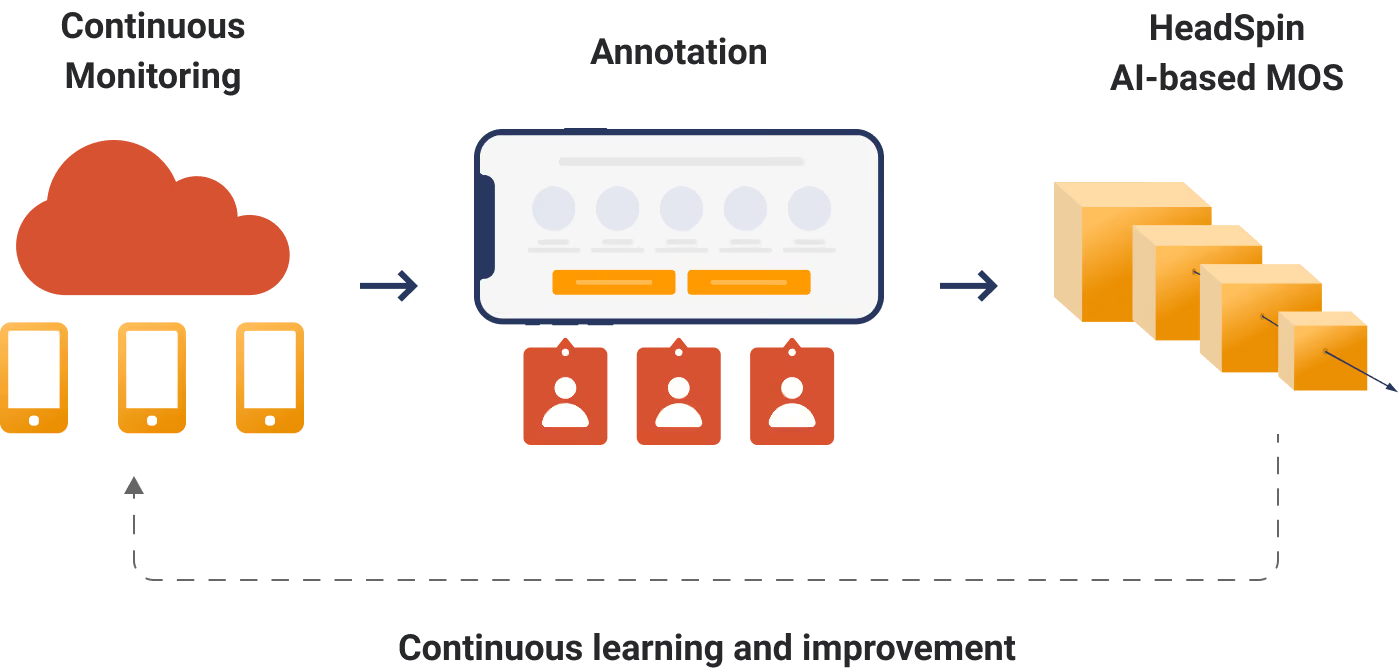
Through the HeadSpin Platform, you will get insight into KPIs that media companies prioritize. Video MOS is one of these. It allows you to track and verify MOS scores and ensure it continues moving in the right direction. Other KPIs include frame rate, blurriness, and downsampling index. Insight into all these KPIs will help you maintain your subscription rate.

Apart from Video MOS, the HeadSpin OTT testing platform also offers the Netflix VMAF (Video Multi-Method Assessment Fusion). Our entertainment app testing is framework agnostic and derives results based on KPI analysis. Through its analysis tool, the HeadSpin Platform can also prove those tests requiring OCR (optical character recognition), like closed captioning, fast-forward, returning to video at the correct time, and rewind.
Read: A comprehensive guide to mobile app security testing
Conclusion
The number of users constantly using entertainment and media makes this field so complex and essential to regularly perform OTT application testing. Companies need to consider innovative approaches and leverage OTT testing tools to test their entertainment and media services. They must test their software before it goes live to avoid complications.
The HeadSpin Audio-Visual Platform allows you to test entertainment, media, gaming, OTT media devices, DRM-protected content, and much more.
Frequently Asked Questions (FAQs) About OTT Testing
Q1. What devices should be included in OTT testing?
Ans: OTT testing should include smartphones (Android and iOS), tablets, smart TVs (Samsung, LG, Android TV, Roku), web browsers (Chrome, Safari, Firefox, Edge), desktops, and gaming consoles. Testing must cover different operating system versions, screen resolutions, hardware capabilities, and codec support to ensure consistent playback quality and UI behavior across all supported device combinations.
Q2. How is OTT performance measured?
Ans: OTT performance is measured using key metrics such as startup time (Time to First Frame), rebuffer ratio, adaptive bitrate efficiency, frame drop rate, crash rate, and concurrent user load capacity. Advanced video quality metrics like Video MOS and VMAF are also used to evaluate perceived streaming quality and overall Quality of Experience (QoE).
Q3. What is the difference between OTT testing and video testing?
Ans: OTT testing evaluates the entire streaming ecosystem, including playback performance, device compatibility, network variability, security, and billing workflows. Video testing focuses specifically on video encoding, compression quality, resolution, and playback fidelity. OTT testing is broader and includes infrastructure, scalability, and user experience validation.
Q4. How do you test smart TV apps?
Ans: Smart TV app testing involves validating remote navigation, UI rendering on large screens, codec compatibility, resolution scaling (HD, 4K, HDR), adaptive bitrate streaming, and DRM enforcement. Testing should be performed on real smart TV devices rather than emulators to accurately detect rendering issues, memory constraints, and performance limitations.
Q5. What KPIs matter most in OTT testing?
Ans: The most critical OTT testing KPIs include startup time, rebuffer ratio, adaptive bitrate stability, Video MOS, VMAF score, frame drop rate, crash rate, CDN latency, and concurrent user handling capacity. These metrics directly impact streaming quality, user satisfaction, and subscription retention.








-1280X720-Final-2.jpg)




